Prerequisites
Before paying vendors, make sure you have:
- Configured vendor splits correctly
- Set up PayPal if you want to send money through VendorPayout (see Add Your PayPal Account)
Review What Your Vendors Have Earned
Open VendorPayout and go to the Payouts section. The Balances tab lists your vendors with a This Month's Payout column showing what each vendor has earned so far this month, along with their last transaction. For statement-led stores this column replaces the older Commission Owed / Current Balance label.

Open a Vendor
Click the amount in the This Month's Payout column for a vendor to open their payout page.
Pay the Vendor
From the vendor's payout page you can pay them in one of two ways:
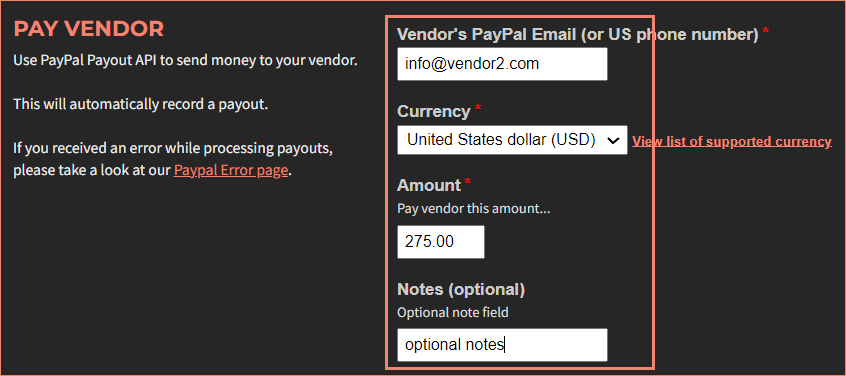
- Send a one-time PayPal payout – enter the vendor's PayPal email (or US phone number), currency, and amount (greater than zero), then click Pay Vendor. VendorPayout sends the money and records the payout. This option requires PayPal to be set up.
- Create a payout statement – build an itemized statement of the vendor's unpaid sales, then settle it by PayPal or by recording a payment. See Create a Payout Statement.
Completed payments appear in the History tab under Payouts and on the vendor's payout page. To automate this, see Schedule Recurring Payouts.